

Your app studio’s website, run from your desktop.
Pylerium Manager builds a beautiful showcase site for your apps, publishes it free on GitHub Pages and runs the business side for you: Stripe sales, paid downloads, supporter perks, emails and Discord alerts.
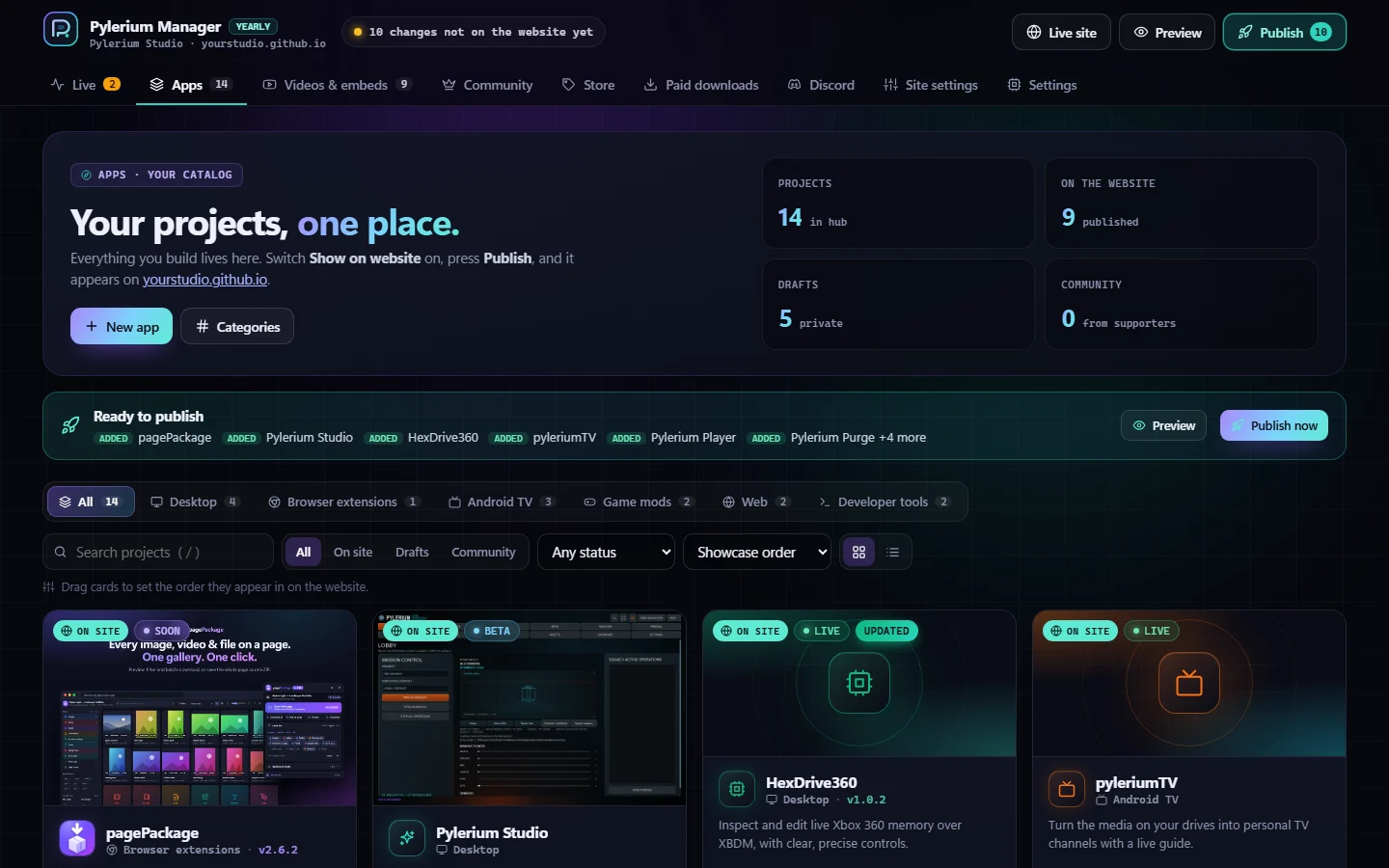
Built for people who ship apps
Mods, extensions, desktop tools, Android TV apps: give them a home that looks professional and sells while you build.
Your own website
yourname.github.io, hosted free by GitHub. Publishing is one button. No servers, no git, no hosting bills.
A real app showcase
Cards, screenshots, videos, release notes and a shareable page for every app, with search and categories built in.
Paid downloads
Sell an app in one form. Files stay in a private GitHub repo; buyers pay with Stripe and download instantly from their own link.
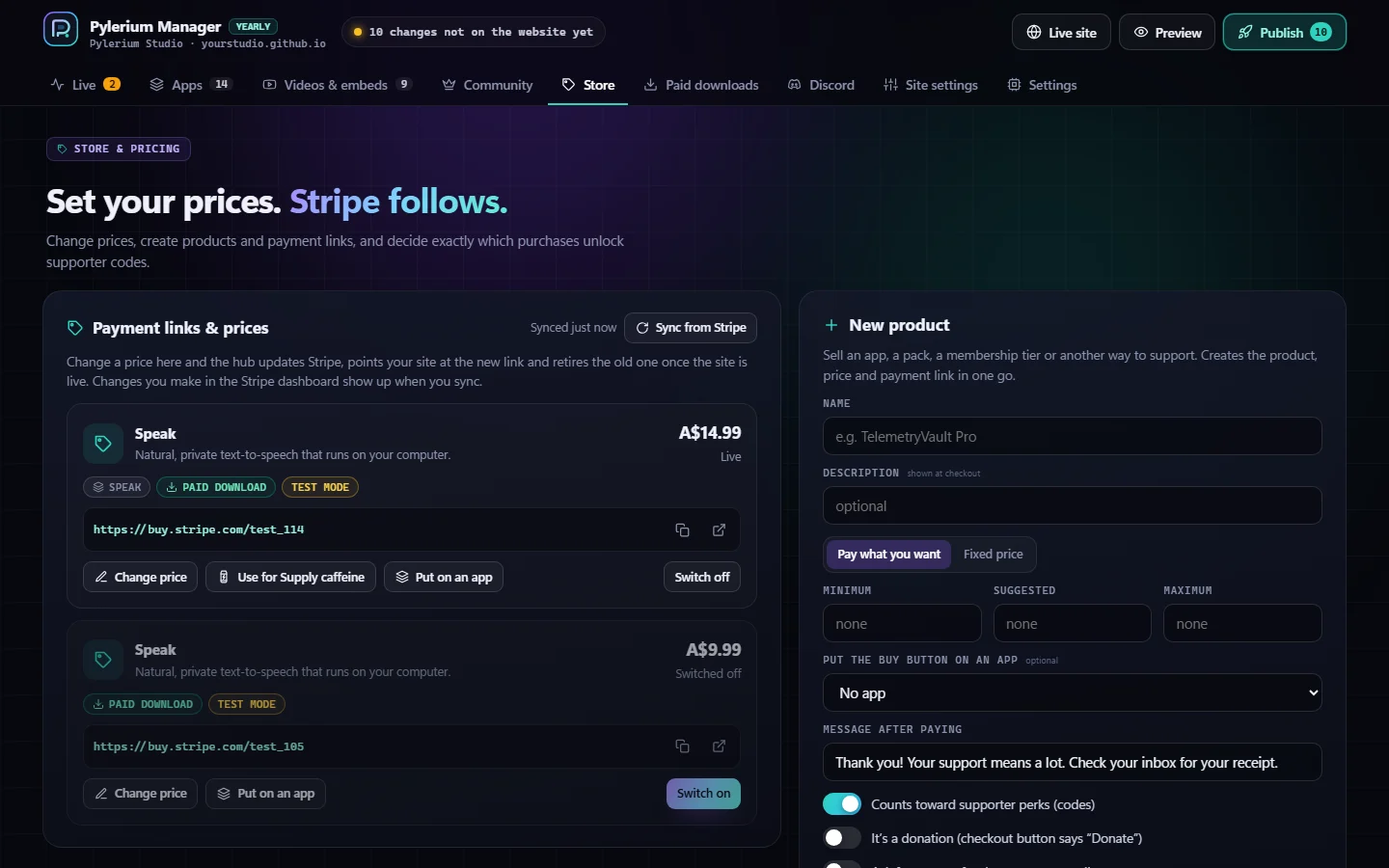
Store & pricing
Create products and change prices from the app. Stripe, your site and every buy button stay in sync.
Supporter perks
Tips and donations unlock supporter codes, a thank-you wall and community app submissions, all automatic.
Videos & embeds
Your YouTube videos and Shorts sync onto the site automatically. Add Twitch, Discord or any embed you like.
Discord alerts
A private channel for every sale and code, and a public one that announces releases and videos to your community.
Emails that send themselves
Thank-you notes, supporter codes and download links go out from your own Gmail the moment someone pays.
Three steps to your studio site
Download and open it
Unzip and double-click. It sets itself up, adds a desktop shortcut and opens in your browser. Nothing else to install.
Sign in with GitHub
The setup creates your site and turns on free hosting for you. No GitHub account yet? Making one takes a minute.
Add your apps, press Publish
Fill in a card, drop in screenshots and publish. Your site updates in about a minute, every time.
Get paid without the busywork
- Stripe built in. Payment links, prices and products, managed from one screen.
- Private files, instant delivery. Paid builds live in private repos and reach buyers through a delivery service on your own free Cloudflare account.
- Refunds handled. Refunded or disputed purchases lose their download and perks automatically.
- Live dashboard. Sales, emails, codes and site health, updating as they happen.
Try it free. Then A$19.99 a month.
Every feature is unlocked during the 14-day trial, no card needed. Subscribe when you’re happy and cancel any time.
Billed monthly. Cancel any time.
- Every feature, no limits on apps or sales
- Use it on all of your own computers
- Every update included
- Licence key emailed within minutes, enter it once
- Cancel any time, 14-day money-back on your first payment
Secure checkout by Stripe. Receipts and tax are handled automatically. Subscriptions & refunds · Privacy
Runs on Windows 10 or 11, macOS and Linux. Needs a free GitHub account. Stripe, Cloudflare, Discord and Gmail are optional.
Good to know
Do I need to know how to code?
No. You fill in forms and press Publish. Pylerium Manager writes the website, handles GitHub and keeps everything in sync.
Where does my data live?
On your computer. Your keys and settings never leave it, except for what you choose to publish (your website, to your own GitHub account) and the services you connect yourself, like Stripe, Discord, Gmail and, for paid downloads, your own Cloudflare account.
Does hosting cost anything?
No. GitHub Pages hosts your site for free and Cloudflare’s free plan covers paid-download delivery. Stripe only charges its usual fee when you make a sale.
Can I use my own domain?
Yes. GitHub Pages supports custom domains; point yours at your github.io site and it keeps working with Pylerium Manager.
What happens when the trial ends?
Your website stays online. You just can’t publish changes or sell downloads until you subscribe, and everything you made is still there when you do.
Do I need a new key every month?
No. You paste your licence key once. Pylerium Manager checks your subscription by itself, and it keeps working offline until the end of the month you’ve paid for.
How do I cancel or change my card?
Use the link in your Stripe receipt, or Settings → Licence → Manage subscription in the app. You keep Pro until the end of the month you’ve paid for.
How do updates work?
Download the new version and replace the folder. Your apps, settings and keys are stored separately, so nothing is lost. The app tells you when a new version is out, and your subscription includes every update.
Can I get a refund?
Yes, within 14 days of your first payment, no questions asked. Email us and we’ll sort it out. Full policy.